The machine_use tool
The unified action surface for browser and desktop automation.
machine_use is one tool for everything an agent does on the machine desktop.
It dispatches on two discriminators: an action enum (22 values) and a
target that selects the surface — chromium (the CDP-attached browser,
the default) or desktop (the full XFCE session driven through xdotool, maim,
and ffmpeg). An optional uri picks the machine source
(machine-user://, …); when omitted, the caller's first configured machine
source is used.
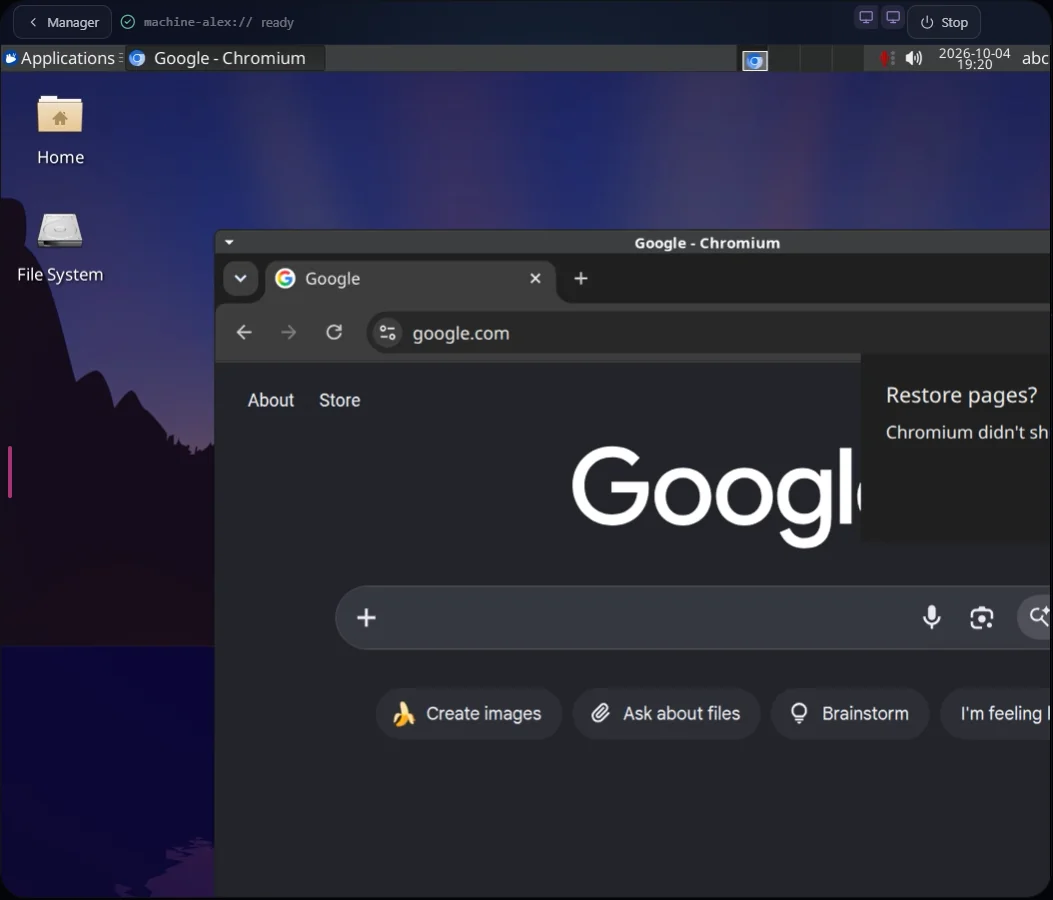
Machine in a configured installation, showing its desktop and browser within the complete application frame.
Action groups
| Group | Actions | Notes |
|---|---|---|
| Navigation | goto, wait, wait_for_selector, wait_for_text | goto accepts waitUntil: load | domcontentloaded | networkidle |
| Input | click, hover, type, key, scroll, drag, select | Chromium input is selector-based; desktop input is pixel-coordinate-based |
| Capture | screenshot, record | Image/video content blocks, see below |
| Read | read_text, read_dom, read_a11y, read_combined | maxChars truncation, default 8000 |
| Desktop ops | windows, activate_window, launch_app, cursor_position | Desktop target only |
| Composite | batch | Up to 25 atomic steps in one call by default; an admin can raise the cap to 50 |
Notable per-action behavior, verified surface:
clickresolves links deterministically. In Chromium mode,clickfirst walks the DOM for the closest<a href>. If one is found the driver navigates viapage.goto()and reports{ navigated: true, href, url, httpStatus }; otherwise it falls back to a plain locator click with auto-wait for visibility. Successful results carryok: truein their structured payload (the navigation HTTP status number is namedhttpStatus), and connector shell throughexecutereportsok: exitCode === 0— the same convention the platform's own shell tool uses.keyis atomic-combo only. Desktop key input accepts combo strings like"ctrl+c","Return","alt+F4". Decomposedkeydown/keyupprimitives are rejected by the tool handler and the in-container agent, so modifiers cannot be held across calls. A default denylist blocks session-hostage combos (ctrl+alt+del, the TTY switchesctrl+alt+f1…ctrl+alt+f12,super+l,super+r,super+d,alt+f4,ctrl+alt+backspace,ctrl+alt+t,alt+sysrq). The list is enforced twice — once in the tool handler and again inside the machine — and the second check has no exception path today, so a blocked combo stays blocked regardless of configuration. Surface the block to the user rather than retrying an alternate spelling.screenshotis shape-aware per target. Chromium acceptsselector(element-only),fullPage(entire scrollable page), orclip(pixel rectangle). Desktop acceptsscale(downscale factor, default 0.75),region(post-capture crop), andquality(JPEG re-encode for smaller payloads).read_combinedreturns{ text, dom, url }in a single round trip — use it instead of back-to-backread_text+read_dom.batchruns atomic action objects sequentially in one tool call — 25 steps under a 150-second budget by default, both adjustable by an admin (up to 50 steps and 300 seconds) — audit-logging each step. It aborts on the first failed step and reports per-step latency instructuredContent.steps[].durationMs.
Recording
record (desktop target) captures the screen for durationMs — capped at 30
seconds by default, adjustable by an admin up to 300 seconds — at a
configurable fps (default 8) and format (webm default, mp4 available). The recording is always written to the machine's
recordings directory and a data://machine-core/recordings/<filename> URI
comes back; load it with fs_read when the content is needed — the platform
then delivers it to the active model in the best form that model can ingest:
native video where supported, up to 12 evenly-sampled frames on
vision-capable models without video input, or an honest size marker.
Recordings are retained for a configurable window (default 24 hours) and
swept automatically after it.
Vision content blocks
machine_use returns MCP content blocks directly; the platform's delivery
layer translates them into each model's native shapes:
{ type: 'image', data, mimeType: 'image/png' | 'image/jpeg' }— emitted byscreenshoton both targets.{ type: 'text', text }— always present alongside an image block, so text-only models can still reason over the result.recordreturns text only (the URI).
Every dispatch is timed: structuredContent.timings.totalMs rides on every
result.
Feature gating per action
machine_use declares machine.read as its baseline feature gate. The
handler then escalates per input: read-class actions — screenshot,
record, read_text, read_dom, read_a11y, read_combined, windows,
cursor_position, wait_for_selector, wait_for_text — pass with
machine.read; every other action requires machine.drive. A batch
requires the worst-case feature across its steps: one drive-class child makes
the whole batch a drive call. The split exists because the required feature
depends on the action argument, so it cannot be expressed as a static
declarative gate — see
features and access for the
underlying model.
Webtop shell
Use agent-core's execute with the registered source URI. machine_use keeps its
existing action and target contract; shell is not another machine action.
| Parameter | Type | Notes |
|---|---|---|
command | string, required | Executed via /bin/bash -lc inside the selected container |
cwd | string | Exact source URI: <source>:// means /; <source>:///config means /config |
timeout | integer, 1000–600000 | Optional; omission keeps the sidecar default. Explicit values are clamped by the machine ceiling |
Webtop takes the caller's own env and runs background: true when the machine's desktop image
supports them; a machine created from an older image refuses either by name and says to recreate
it. It receives no platform session ticket, skill credentials or substitution environment. Stop
ends the wait and, where the image supports cancellation, the command's whole process group — a
grandchild that opened its own session survives, so inspect state before retrying. For a skill
script, use the activation envelope's actual directory URI and a relative command.
It requires the exec.machine entry feature (owner and admin by default) and an
exec grant on the working directory in the source's own path policy. The real
boundary is the container sandbox plus that grant plus network isolation — not the command denylist. Two denylists exist, and they are not
the same list: the tool handler refuses seven leading tokens (shutdown,
reboot, halt, poweroff, ufw, iptables, nft) so the error text
arrives in the caller's own context before the command leaves the host — a
command stopped there is refused rather than executed, and is not written to
the machine audit log — and the in-container agent re-checks a strict superset
that also blocks nftables, mkfs, fdisk, mount, umount, ffmpeg and
gst-launch-1.0. Both only inspect the leading
command token and the agent runs the command through a shell, so they are
cosmetic friction rather than a security control. Neither is removable by a
role, a feature grant or a platform setting. Screen recording still goes through machine_use action=record so the duration and size caps apply. Command output is
size-bounded; pipe large output to a file under /config/ and read it back
with fs_read.
Commands run with a filtered environment. The in-container agent passes an
allowlist (PATH, HOME, locale, DISPLAY, the XDG set) to everything it
spawns, so the stream password and the agent's own bearer token are not inherited
by Webtop shell commands or by the helper processes the agent runs on your
behalf. This bounds accidental leakage; it is not a boundary against a
exec.machine holder, who is root-equivalent inside the container and can read
the agent's process environment directly.
Audit trail
Every machine_use call is logged with its action, target, session key, and
caller identity; every Webtop shell call is logged with the command line.
Admins can review the full history of what an agent did on the machine.